Posts

Showing posts with the label Printer RIP

Epson RIP professional Software for Stylus Photo R2000
Image
  In the world of digital printing, having the right tools is essential for achieving high-quality outputs. One such crucial tool is the Epson RIP Professional Software. Designed to work seamlessly with the Stylus Photo R2000, this RIP software ensures precise color management, enhanced printing efficiency, and stunning results. Let’s explore why Acrorip’s Transfer RIP software is the go-to solution for professional printers. What is RIP Software? RIP software (Raster Image Processor) is a vital application for converting digital files into formats that printers can process. It goes beyond the capabilities of basic printer drivers by offering advanced features such as color calibration, ink management, and layout customization. When paired with the Stylus Photo R2000, RIP software optimizes its potential, allowing users to achieve detailed and vibrant prints. Whether you're a professional photographer, designer, or print shop owner, this software simplifies complex printing task...
Streamline Your Printing Process with AcroRip’s Transfer RIP Software

Image
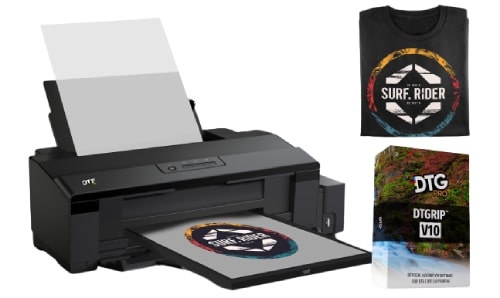
In the world of advanced printing technologies, AcroRip stands out as a leader in delivering efficient, precise, and reliable solutions. Whether you're involved in direct-to-garment (DTG), direct-to-film (DTF), or UV printing, AcroRip’s Transfer RIP software offers a seamless experience for professionals and businesses looking to elevate their production capabilities. What is Transfer RIP? Transfer RIP is a cutting-edge software that simplifies and enhances the printing process, providing superior control and customization for various printer types. It is specifically designed to optimize the workflow for popular printer models, including Epson printers, and enables effortless management of complex printing tasks. Key Features of AcroRip Transfer RIP Software User-Friendly Design: AcroRip's intuitive interface allows users to manage printing jobs efficiently, reducing the learning curve for new operators. Whether you're working with DTG, DTF, or UV printing, the software...

6 Things You Can Do Only With DTF RIP Software

Image
DTF (Direct-to-Film) printing is a revolution in textile printing. This innovative way of printing textiles has made it possible to print garments without compromising on quality. The wide range of printed garments available in the market is due to DTF. But this technology requires a specific software called DTF  RIP software . What is textile printing software? The software streamlines the process, automates repetitive tasks, and prevents human errors. It boosts productivity and reduces the overall printing cost. Printing garments isn’t only about beauty but the personalization of garments to suit the individual needs of users. The software helps in textile printing in the following ways: 1. Enhanced Print Quality The software optimizes ink placement and density to achieve superior-quality prints. Also, only software can do this job because human eyes and hands aren’t suitable to precisely control ink flow. The level of precision required for crisp details can only be achieved wi...

Unlock Professional Printing with ACRORIP – The Ultimate Epson RIP Solution

Image
In the world of digital printing, having the right tools can make all the difference. ACRORIP is one such tool, designed to elevate your printing capabilities with precision, speed, and ease of use. This specialized software, often known as a RIP (Raster Image Processor) solution, is particularly useful for those who work with Epson printers, providing high-quality control over printing tasks. If you’re looking for a powerful Epson RIP software for your printing needs, ACRORIP is designed to deliver results that meet professional standards. What is ACRORIP? ACRORIP is a powerful and user-friendly RIP software designed for various digital printing applications, particularly when using Epson printers. This advanced software translates your digital images into a format that your printer can understand, providing enhanced control over color, gradients, and other print characteristics that are essential for high-quality results. Whether you’re using ACRORIP for printing on paper, textiles,...

The Future of Epson Printing with RIP Software

Image
An Epson printer can do the best job if it gets Raster Imaging Processor (RIP) software. This software can significantly improve the functionality of the branded printing machine. Once you know the advantages of the software, you will certainly be interested in downloading the Epson RIP software to your printer. What is RIP application? You can compare it to a printer driver but it is much more powerful than a regular printer. When downloaded to a printer, it can significantly improve the power of a printer machine. For example, it provides much more control over the entire printing process. The prime job of the software is to convert vectors into rasters.  A vector file consists of paths and points but it converts into a matrix of dots when converted into a raster file. Also called a bitmap, a raster file contains a pixel-based high-resolution image used to print high-quality images. A bitmap contains codes for a printer. The printer prints an image according to the bitmap design...

Who Needs A Printer RIP Software Application?

Image
So, you own a small printing business and are worried whether buying a RIP application would benefit your business. RIP stands for Raster Image Processing. It is a software application developed to get sharp digital prints. It ensures high-quality prints effortlessly. You can make an opinion on printer RIP after going through its advantages. Here are the advantages of an RIP software application 1. Layout/Editing/Job Composition An editor can make your job a lot easier. For example, it will allow importing images from different sources and placing those images on a graphic surface. Also, you can easily arrange and edit images to define how you want the images to appear in the final print. Depending on the version of the RIP application, you can even get features like color replacement and masking.  2. Color Profiling It is the most important feature of a RIP software application but not all applications have similar features. For example, take ICC profiling. It allows the creating...

How Is An Epson RIP Printer Different From A Regular Printer?

Image
If you are still following the age-old method of “print one file at a time”, Update your printing process with a quality printer RIP application. The manual process isn’t flawed but it slows down the overall output. If you are working on a large project where you want to expedite the process, you should consider using a RIP application.  How does an RIP application boost printing speed? A RIP application works on a unique formula called 3Ps. When you work manually with a tool like Adobe Photoshop and Illustrator, you invest a significant amount of time and labor. Your speed will be limited to one print at a time. However, an application can speed up the process by allowing you to work on multiple files at a time.  Printing a file Processing another design for printing Preparing another design for the print job Everything is done simultaneously. The software does the job and leaves you free to make necessary adjustments like colors, dot sizes, and details. The software can sav...